Course LinksClick on the picture |
 |
 |
 |
 |
 |


 .
.
Calendar
(Entire Calendar at Bottom)



Unit 1: I/O and Decisions 
Unit 2: Methods and Loops
Unit 3: RPG (Role Playing Game)
| Analysis | Design | Coding | Task Examples | Reflection |
| Assignment An example [Paper Version] A1. Problem Identification A2. Brainstorming A3. Game Idea |
[Paper Version] B1. Introduction B2. Task 1 Design B3. Task 2 Design B4. Task 3 Design Additional Game Ideas BottleRiddle.java Pig.java LCR.java |
C1. Starter code. ( Repl.it version) Repl.it version)C2. First Playable C3. Making ASCII Art Quickly, video, code. - ASCII Art Titles - ASCII Art Archive - Version 2 - Prints to Screen: ASCII art code C4. Alpha Test C5. Extra Features I'm Stuck C6. Pokemon Battle |
Introduction Adding pauses to story Task 1 Task 2 Task 3 Conclusion |
Rubric |
Unit 4: GUIs - Graphical User Interfaces (Applets)
|
Unit 4 Code
|










Unit 5: Arrays
|
|
| Lesson | Video | Code | Check Your Understanding |
| 5.1 Memory Diagrams | Basic Arrays: https://youtu.be/s4TxqTIok2A | 1 Declare | A1 Common SenseA1 repl.it starter B1 Pictures Arrays C1 Countdown Lists |
| 5.2 Printing | https://youtu.be/oKSLVY8CnuM | C2 Marks List | |
| 5.3 Array Templates - String template - char template - int template - double template |
Basic Array Algorithms: https://youtu.be/R5KQGmmFs1o Using Array Templates: https://youtu.be/1m0qYiq5DE8 |
Diamonds Blood Types |
|
| 5.4 2D Arrays | https://youtu.be/WZzO9-rxFhw | 3 Opeongo 5 Heat Map (Print, Functions, Locations, Process Image) |
|
| 5.5 Grid Arrays | https://youtu.be/cGjfwbw_vrQ | 4 Grid Coding Farm Heros Pics, Scrubby Dubby Pics, Star Wars Pics |
A4 Scrubby Dubby, pics A4 Mac starter A4 repl.it starter A4 Mac starter A4 repl.it starterB3 Mario, pic |
5.6 Movement Big Hero 6 Regular, picsBigHero6, MacBigHero6, repl.it Big Hero 6 Regular, picsBigHero6, MacBigHero6, repl.it |
https://youtu.be/kV8NtAu_Ep0 | 5 Pokemon, Files 6 Maze (Movement, Pick Ups, Levels), Scribble Maze Pictures |
A5 Winnie the Pooh, pics A6 Fishes Swimming, pic A6, Mac, small picsA6, repl.it, small pics B4 Halloween, pic B5 Picking Flowers, pic C3 Minesweeper, pic C4 Bunny Game, pic0, pic1, pic2, pic3 |
| 5.7a Algorithms | https://youtu.be/VkzbZ2Xd5Y0 | 7 Road Work (Levels, Clear, Swap, Reset), Pictures | Mad Jailor |
| 5.7b Selection Sort | Selection: https://youtu.be/bUo8O-JKIR4 Demo: https://youtu.be/NiKCsHd2K70 Demo #2: https://youtu.be/SESC_sMuLwY |
8 Sorting Part 1 8 Sort Animator (Part 2) |
C5 Picture Reveal, pic |
| 5.8 Bubble Sort | https://youtu.be/AqAKyfXK9Tk Demo: https://youtu.be/W2rIMC7HlW8 Demo #2: https://youtu.be/Y052YXzar8s |
Bonus (can be used to replace another program... all related to maze) 9 Fishes Swimming, pic 10 Halloween, pic 11 Picking Flowers, pic 12 Minesweeper, pic 13 Bunny Game, pic0, pic1, pic2, pic3 |
CX Complex Array Functions |
| 5.9 Bin Sort | https://youtu.be/p1wOdA03er4 | ||
Unit 6: Grid Game
| A - Analysis | B - Design | C - Code | D - Evaluate | |
| Assignment, Spec List Games List |
Game Screen Acceptance Some good picture sites: - icon archive - opengameart |
Layouts Reset Save/Open: Video Extra Features |
[New] Opening Screen & Instructions [Old] Adding Splash, Instructions Screens: video. Adding pictures to other screens Replication - More Opening Screens (Loki) Comments |
Is your game ready to be handed in? Rubric |
Unit 6 - Specific Game Details
| Connect 4 (3 pics) Video Intro Starter Code (zip) Picture List, Screen Set Up, Pizza Theme Example Turns Video, Turns Notes Horizontal Win Video, Notes Reset Other Wins, Notes Drop Down, Note Moves Counter Levels/Extra Features Possibilities |
Flow Free (10 pics) Video Intro Starter Code (zip) Starter Repl.itPicture List, Screen Set Up, Zoo Theme Example Placing Pieces Reset, Note Win, Note Levels, Note |
Rush Hour (42 pics) Video Intro Starter Code (zip) Picture List, Screen Set Up, Popscile Theme Example Choose Car video Movement video Powerpoint for First Level Levels & Reset Prevent Errors & Win video |
2048 (14 pics) Video Intro Picture List, Screen Set Up Moving Up Video Win, Lose, Reset Starter Code (zip) |
Sokoban (13 or 6 pics) Video Intro Starter Code (zip) Starter MacsStarter Repl.itPicture List, Screen Set Up, Lady Bug Theme Example Transparent CrossHair Pic Movement, note Win Levels, example Levels Reset Extra Features Possiblities |
Chess (54 pics) Video Intro Starter Code (zip) Picture List, Screen Set Up, Flower Theme Example Turns Video, Turns Notes Pawn Code Pawn, King, Knight Rook, Bishop Chess Notes Reset |
Unit 7 - Final Week Content
| Lesson | Video | A (Level 1) | B (Level 2, 3) | C (Level 4, 4+) |
| 1.1 Binary | https://youtu.be/20b__sxPLTU | Khan Academy's Binary Unit | Mad Jailor | |
| 1.2 ASCII | https://youtu.be/mFo-_V-buOk | Graphical Sort (Threads) | ||
| 1.3 Hexadecimal | https://youtu.be/AQH-39wKLEw | Game of Life (Threads) | ||
| 7.4 Environment | https://youtu.be/CmIkxq34DS4 | |||
| 7.5 University Applications | ||||
| 7.6 Coding Competitions | ||||
| 7.7 OnLine Resources |
Exam Review
| Sample Tests | Sample Exam | Revew Questions & Notes |
| Sample Exam 2025 |
Test 1 Review Test 2 Review Test 4 Review Test 5 Review |
Complete Calendar
| Jan 27 - Snow Day | Jan 28 - P4 Exams | Jan 28 - P3 Exams | Jan 29 - No School | Jan 30 - First day of class Welcome to Computer Science Learner Profile, Learner Reflection 1.2 Binary 1.2 ASCII |
| Feb 2 Make Course Folders, Saving 1.1 Output Code 1. Favourite Things Code 2. Pictures [video hint on how to make footprints] |
Feb 3 1.3 Variable Types Sheet Code 1. Favourite Things Code 2.Pictures: [video hint on how to make footprints] Code 3, Q & A Task |
Feb 4 Review Mad Libs Work on codes 3. Q & A Task 4. Mad Libs Task 5. Grade 9 Math Task |
Feb 5 1.5 Math 1. Favourite Things 2. Pictures 3. Q & A Task 4. Mad Libs Task 5. Grade 9 Math Task |
Feb 6 1.6 Hexadecimal Complete missing code: 3. Q & A Task 4. Mad Libs Task 5. Grade 9 Math Task 6. Brampton Farmers' Market Task |
| Feb 9 1.7 Mod & Div Mod Div: Code to experiment with 7. Egg Carton Task 8. Flowerpot Flowchart Task If done early, work on the codes listed tomorrow. |
Feb 10 1.8 Flow Charts Complete missing code: 4. Mad Libs Task 5. Grade 9 Math Task 6. Brampton Farmers' Market Task 7. Egg Carton Task |
Feb 11 1.10 Boolean Expressions Complete missing code: 6. Brampton Farmers' Market Task 7. Egg Carton Task 8. Flowerpot Flowchart Task |
Feb 12 Magic 8 Ball 1.11 Ifs Ifs Example Code Continue coding: 8. Flowerpot Flowchart Task 9. Quadrants Task |
Feb 13 PD Day |
| Feb 16 Family Day |
Feb 17 1.8 Unicode 1.11 If Flow Charts Coding: 9. Quadrants Task 10. Cash Register Task |
Feb 18 [CCC - Class in Library] Sample Test - "Super open book" - notes, friends, teachers are allowed. - Computers and phones are not allowed - test MUST be submitted at the end of the period. |
Feb 19 2.1 For Loops Unit 2 Codes 1. Series [video hint] 100 Bottles of Pop 2. Fizz Buzz [2a: Fizz Buzz video hint, 2b: Happy Birthday video hint] 5. Pokemon Battle |
Feb 20 2.2 For Loops Flow Charts 2. Fizz Buzz [2a: Fizz Buzz video hint, 2b: Happy Birthday video hint] |
| Feb 23 Test 1 Preparation: - Test preparation powerpoint - Test Memory Work Question & Answer - Blank Sample Test - Sample Test Solution 3 Make Into A Loop Task All code is due for unit 1 If done: - 1 Series [video hint] - 2 Fizz Buzz [2a: Fizz Buzz video hint, 2b: Happy Birthday video hint] - 3 Make Into A Loop Task |
Feb 24 1. While loops 2.3 OR powerpoint. 2. Complete front of sheet. (2.3) 3. Complete missing unit 2 codes: - 1 Series [video hint] - 2 Fizz Buzz [2a: Fizz Buzz video hint, 2b: Happy Birthday video hint] - 3 Make Into A Loop Task - 4 Guessing Game Task |
Feb 25 Test (closed book, normal test writing conditions) Test 1 Preparation: - Test preparation powerpoint - Test Memory Work Question & Answer - Blank Sample Test - Sample Test Solution |
Feb 26 2.6 PDLC PDLC Summary Note RPG Assignment outline, Example 1 (starts at 3:03), Example 2. |
Feb 27 Early Release [P1&2 only] |
| March 2 1. While loops flowcharts 2.4 OR powerpoint 2. Complete sheet 2.4 (back) and submit. 3. Continue with unit 2 codes. Work on missing unit 2 codes: 3 Make Into A Loop Task 4 Guessing Game Task [Guessing Game hint] 5 Pokemon Battle |
March 3 2.7 Void Methods 6 Drawing Methods, [Video hint for A] drawingMethodsA.java, drawingMethodsB.java, drawingMethodsC.java. |
March 4 2.7 Void Methods, In A People House 7 Scavenger Hunt Task - Step 0: Map - Step 1: Method Signatures - Step 2: Navigations + Story - Step 3: Pick ups - Step 4: Reset + Timer |
March 5 [Gorski SHSM] Coding Day - get as many codes done as you can! 1. Series [video hint] 100 Bottles of Pop 2. Fizz Buzz [2a: Fizz Buzz hint, 2b: Happy Birthday hint] 3. Make into a loop 4. Guessing Game & Riddle [Guessing Game hint] 5. Pokemon Battle - (b) Math Battle 6. Drawing Methods [video hint] drawingMethodsA.java, drawingMethodsB.java, drawingMethodsC.java. 7. Scavenger Hunt - Step 0: Map - Step 1: Method Signatures - Step 2: Navigations + Story - Step 3: Pick ups - Step 4: Reset + Timer |
March 6 2.8 Method Pieces Code: - Finish 7 Scavenger Hunt Task - 8 Simple Methods [video hint] (8 Second part: Quad [video hint]) |
| March 9 Sheet 2.9 2.9 Method Pieces, Already Using Methods Continue working on code. Finish 7 Scavenger Hunt Task 8 Simple Methods [video hint] (8 Second part: Quad [video hint]) 9 Choose one of: (1) Rock Paper Scissors [video hint] (2) Tic Tac Toe (3) Fizz Buzz AI [video hint] (4) Nim (5) Math Battle |
March 10 RPG Analysis & Design - Don't over think it, if you change later, that is fine. [A paper version] - Assignment, Rubric - Pick a theme for your RPG: ideas for themes -if you've forgotten, here are examples: RPG Example 1 (starts at 3:03), RPG Example 2. |
March 11 2.10 Structure Charts - Pig Code - LCR Code - BottleRiddle.java Complete missing unit 2 codes: 7 Scavenger Hunt (Code: 0: Map, 1: Signatures, 2: Navigation, 3: Pick ups, 4: Reset) 8 Simple Methods [video hint] (8 Second part: Quad [video hint]) 9 Choose one of: (1) Rock Paper Scissors [video hint] (2) Tic Tac Toe (3) Fizz Buzz AI [video hint] (4) Nim |
March 12 2.5 Comments, Creativity Unit 2 Code is Due Work on Unit 2 Coding: 7 Scavenger Hunt (Code: 0: Map, 1: Signatures, 2: Navigation, 3: Pick ups, 4: Reset) 8 Simple Methods [video hint] (8 Second part: Quad [video hint]) 9 Choose one of: (1) Rock Paper Scissors [video hint] (2) Tic Tac Toe (3) Fizz Buzz AI [video hint] (4) Nim |
March 13 RPG Starter Code Start RPG - Introduction Details here - ASCII Art Quickly Code [Finish Unit 2 Code] Test Review (Questions) |
| March 16 - March Break | March 17 - March Break | March 18 - March Break | March 19 - March Break | March 20 - March Break |
| March 23 Work on RPG Task 1 & Introduction - Starter Code - Task 1 details here - Line Count Recorded for RPG Introduction needs: (a) ASCII title (b) By "Your Name" printed (c) ASCII art picture (d) 10 lines of story |
March 24 Sample Test Unit 2 - no phones, but it is open book. - can talk to friends or ask questions |
March 25 Due: RPG introduction (ASCII title + at least 10 lines of backstory) Test Reivew (1) Test Reivew Powerpoint (2) Questions Work on Task 1 (a) ASCII title - code, online-generator (b) Story link (c) Task code (d) Win/Loss action |
March 26 Work on Task 2 |
March 27 Due: RPG Task 2 - Lesson: Introduction to Extra Features (a) ASCII title - code, online-generator (b) Story link (c) Task code (d) Win/Loss action |
| March 30 Due: RPG Task 3 Work on Conclusion - Line Count, verify task 3 is complete - Add at least 10 lines of story ending + ASCII title - Video for help: Conclusion |
March 31 Test 2 - Closed Book - for studying purposes: (1) Sample Test Solution (2) Test Reivew Powerpoint (3) Questions (4) Additional Examples for Last Coding Question |
April 1 Due: RPG Conclusion * For tomorrow, be prepared for Alpha testing of your game - RPG Fixing & Polishing (1) Look at Rubric (2) Add Comments (3) Add Extra Features (4) Add ASCII art (5) Add methods: see for ideas Simple Methods [video hint] |
April 2 RPG Alpha Test Day * bring your code ready for testing (it should run, it doesn't have to be perfect) Coding: - Work on project fixes - If done early, watch: how to code applet. then try: 1 Non-formatted Screens - Starter Code - Applet Cheat Sheet |
April 3 [Good Friday] |
| April 6 [Easter Monday] |
April 7 - Complete and submit Sheet 4.1 Applet Basics Coding: - Starter Code - Applet Cheat Sheet - 1 Non-formatted Screens - 2 Picture Screens, giraffe 1, giraffe 2, giraffe 3 |
April 8 4.2 Formatting - RPG Fixing & Polishing (1) Look at Rubric (2) Add Comments (3) Add Extra Features (4) Add ASCII art (5) Add methods: see for ideas Simple Methods [video hint] |
April 9 RPG is Due Bring your RPG to class complete and ready to hand in. Do not have "one little thing" to complete. - Hand in files - Complete reflection - If time, work on Applets |
April 10 [Gorski away] Starter Code Applet Cheat Sheet Coding: [all links below] * I will mark off your codes when I return. - 1 Non-formatted Screens - 2 Picture Screens, giraffe 1, giraffe 2, giraffe 3. - 3 Random Sentence [video hint] - 4 Dice, d1, d2, d3, d4, d5, d6 [video hint] If done early: this is a good bonus: 9(B) Ancient Stones, pic, stone1, stone2, stone3, stone4 [video hint] |
| April 13 [CISCO] 4.3 Review. Powerpoints and videos are posted in the unit 4 section below. Coding: - 1 Non-formatted Screens - 2 Picture Screens, giraffe 1, giraffe 2, giraffe 3. - 3 Random Sentence [video hint] - 4 Dice, d1, d2, d3, d4, d5, d6 [video hint] If done early: this is a good bonus: 9(B) Ancient Stones, pic, stone1, stone2, stone3, stone4 [video hint] |
April 14 4.4 Buttons that Work. Powerpoints and videos are posted in the unit 4 section below. - If needed watch: The Actions: https://youtu.be/a3wUx1OVppc, Read: 4.4 Buttons that Work Coding: - 2 Picture Screens, giraffe 1, giraffe 2, giraffe 3. - 3 Random Sentence [video hint] - 4 Dice, d1, d2, d3, d4, d5, d6 [video hint] |
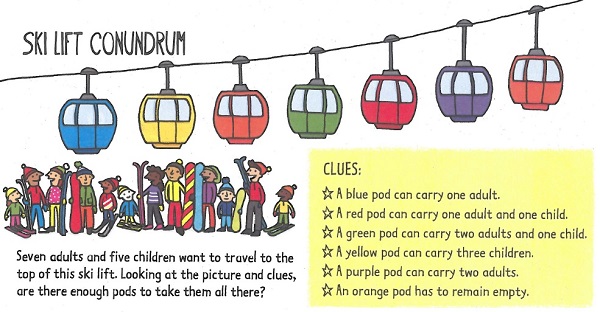
April 15 - 4.5 Global and Local Variables: https://youtu.be/-XR2TtG8M6M - 4.6 Places in an Applet - 3 Random Sentence [video hint] - 5 Games Task (Pics: Eyeball Blizzard, Snowman Jumble, SkiLift) |
April 16 [Drones] |
April 17 [Early Release - P3 & P4] - Watch: JTextFields or Read: 4.7 JTextfields - Complete and submit sheet 4.7 to the hand in bin. - Continue coding (see tomorrow for links) - 5 Games Task (Pics: Eyeball Blizzard, Snowman Jumble, SkiLift) |
| April 20 - Sheet 4.9 Screens - 7 Zoo, video: Adding Okapi Applet Cheat Sheet |
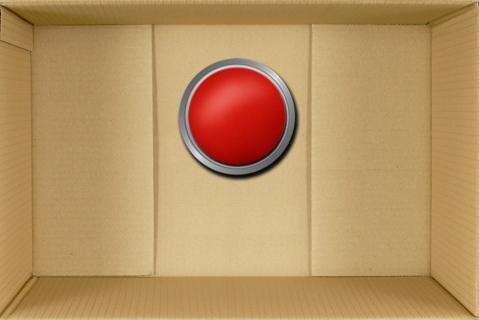
April 21 - 4.8 Good Design Coding: - 4 Dice, d1, d2, d3, d4, d5, d6 [video hint] - 5 Games Task (Pics: Eyeball Blizzard, Snowman Jumble, SkiLift) - 8 Don't Click on the Red Button, pic also Snow Puzzle, pics Starter Code Applet Cheat Sheet |
April 22 - Sheet 4.10 Screen Flow Diagrams, video Coding: - 1 Non-formatted Screens - 2 Picture Screens, giraffe 1, giraffe 2, giraffe 3. - 3 Random Sentence [video hint] - 4 Dice, d1, d2, d3, d4, d5, d6 [video hint] - 5 Games Task (Pics: Eyeball Blizzard, Snowman Jumble, SkiLift) - 8 Don't Click on the Red Button, pic also Snow Puzzle, pics |
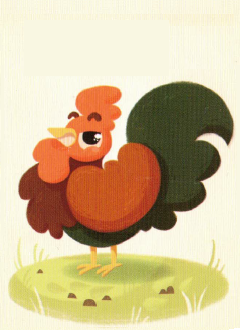
April 23 Last Day on Unit 4 Programs - Count Me In - 6 Chicken Chicken - Pictures: Chicken0, Chicken1, Chicken2, Chicken3, Chicken4, Chicken5, Chicken6, Chicken7, Chicken8, Chicken9, Chicken10 8(c) Formatting Selector 8(d) Keypad Passcode Alternative Programs: - Ancient Stones, pic, stone1, stone2, stone3, stone4 [video hint] - Cake Gobbler, pic |
April 24 Sample Test Applets |
| April 27 - A little applet review - 5.1 Array Intro - Array coding: 1 Declare 3 Movies |
April 28 - Sheet 5.3 Printing - Array Coding: 3 Movies 1 Declare 2a Pumpkin Sizes 2b Fishy Fishy 3 Movies |
April 29 - A little applet review - 5.4 GUI Grids 4 Grid Coding, Farm Heros Pics, Scrubby Dubby Pics, Star Wars Pics |
April 30 Test Applets For studying purposes: -Review Powerpoint -Review Questions -Sample Test Solution |
May 1 - Read 5.6 GUI Grids2: Movement or watch video And submit sheets. 5 Pokemon, Files |
| May 4 - 5.2 Array Templates - Array coding: 2a Pumpkin Sizes 2b Fishy Fishy - Array templates: - String template - char template - int template - double template - Applet Review |
May 5 - Read 5.6 GUI Grids2: Movement or watch video - Complete sheet 5.6 Movement and submit to hand in bin. - Work on unit 5 codes. Unit 5 Code: 7 Road Work (Levels, Clear, Swap, Reset), Pictures |
May 6 Algorithm Analysis Coding: 6 Maze (Movement, Pick Ups, Levels), Scribble Maze Pictures Final Project Introduction - Connect 4: Video Intro - Flow Free: Video Intro - Rush Hour: Video Intro - Sokoban: Video Intro - Chess: Video Intro - Other Game Choices: Games List |
May 7 Selection Sort Demo: https://youtu.be/NiKCsHd2K70 Demo #2: https://youtu.be/Y052YXzar8s Coding: 2a Pumpkin Sizes 2b Fishy Fishy - int template 4 Diamonds,Blood Types 6 Pokemon, Files 8 Road Work (Levels, Clear, Swap, Reset), Pictures [video: Levels] [video: Win] [video: Reset] 9 Sort Animator |
May 8 Bubble Sort Lesson: https://youtu.be/AqAKyfXK9Tk Demo: https://youtu.be/W2rIMC7HlW8 Demo #2: https://youtu.be/SESC_sMuLwY Final Game Intro - Connect 4: Video Intro - Flow Free: Video Intro - Rush Hour: Video Intro - Sokoban: Video Intro - Chess: Video Intro - Other Game Choices: Games List |
| May 11 Bin Sort Final Game Intro - Connect 4: Video Intro - Flow Free: Video Intro - Rush Hour: Video Intro - Sokoban: Video Intro - Chess: Video Intro - Other Game Choices: Games List If done early, try some of these challenges: Application Test Practice Coding |
May 12 2D Array Algorithms 8 Sort Animator Application Test Practice Coding Alternate codes (can be used to replace above programs) 9 Fishes Swimming, pic 10 Halloween, pic 11 Picking Flowers, pic 12 Minesweeper, pic 13 Bunny Game, pic0, pic1, pic2, pic3 |
May 13 Game Analysis Assignment, Spec List - Due: Analysis Sheet & Design Sheet - Picture Lists: Connect 4, Flow Free, Rush Hour, 2048, Sokoban, Chess |
May 14 Arrays Sample Test (Bring all sheets) |
May 15 PL Day |
| May 18 - Victoria Day |
May 19 - Download starter code for your game. - Make Pictures: we will be busy over the next week. Save with exactly the file names in the starter code. Picture Lists: Connect 4: Picture List, Screen Set Up, Pizza Theme Example Flow Free: Picture List, Screen Set Up, Zoo Theme Example Rush Hour: Picture List, Screen Set Up, Popscile Theme Example Sokoban: Picture List, Screen Set Up, Lady Bug Theme Example, Transparent CrossHair Pic Chess: Picture List, Screen Set Up, Flower Theme Example - Some good picture sites: (a) icon archive (b) opengameart |
May 20 Coding Day 1 Declare 2a Pumpkin Sizes, 2b Fishy Fishy 3 Movies 4 Grid Coding - FH Pics, SD Pics, SW Pics 5 Heat Map 6 Maze, Pictures 7 Road Work, Pictures 8 Sorting Part 1, 8 Sort Animator (Part 2) |
May 21 Test 5 Arrays For studying purposes: - Test Review - Memory Work Powerpoint - Coding Questions |
May 22 [Carnival] |
| May 25 - Due Starter code downloaded - Due by end of class: one pic with theme in game - Arrays Test Prep & Practice - Test Review - Memory Work Powerpoint - Some good picture sites: (a) icon archive (b) opengameart |
May 26 - Work on pictures |
May 27 - Due: Game Screen Up, Own pictures in grid. - Working on Game Movement (a) Connect 4 - Turns Video, Turns Notes (b) Flow Free - Placing Pieces (c) Rush Hour - Choose Car video, Powerpoint (d) Sokoban - Start Movement, note (e) Chess - Turns Video, Turns Notes |
May 28 [Athletic Banquet] Due: Yesterday's Movement due, beginning of class. For tomorrow: (a) Connect 4 - Horizontal Win Video, Notes (b) Flow Free - Win, Note (c) Rush Hour - Up & Down Movement video, Powerpoint (d) Sokoban - Finish Movement, note (e) Chess - Pawn Code, Pawn |
May 29 Due: Yesterday's Movement/Wins due, beginning of class. Lesson: Opening & Instructions For tomorrow: (a) Connect 4 - Other Wins, Notes (b) Flow Free - Extra Features (c) Rush Hour - Right & Left Movement video, Powerpoint (d) Sokoban - Block Placement (e) Chess - Rook |
| June 1 Due: Yesterday's Movement/Wins due, beginning of class. For Monday: (a) Connect 4 - Reset, Drop Down, Note (b) Flow Free - Reset, Note (c) Rush Hour - Prevent Errors & Win video (d) Sokoban - Reset (e) Chess - Reset + Bishop |
June 2 Due: Reset Today. - Splash, Instructions Screens (video) due Monday - work on Extra Features - work on Comments |
June 3 Due Today start of class: Splash (opening) |
June 4 Due by start of class: Instructions |
June 5 Alpha Test * Due: At the start of class have your code ready for others to test - it doesn't need to be complete, just runnable. - work on Extra Features - work on Comments |
June 8 |
June 9 Final Project Submission - have code complete for the beginning of class. - Do not have "just a few things to finish". - Do not have "just a quick question". - Complete Reflection. |
June 10 Exam Review - Sample Exam |
June 11 Review Unit 1 & 2 |
|
| June 15 Review Unit 4 & 5 Take up Sample Exam Exam Review |
June 16 Morning Exam Review Exams - P1 |
June 17 Exams - P2 |
June 18 Exams - P3 ICS3U Exam - 2 hours 8:30-11:00 (it won't take you that long) Sample Exam 2025 |
June 19 Exams - P4 |
| June 22 Exams - P4 |
June 23 No school |
June 24 No school |
June 25 Exam Review |
June 26 No School - Commencement |